Introduction
Now that I have finished up the environment I can move on to actually recording it to show off, unreal has a inbuilt camera I will be using and showing how I did so for this
Camera
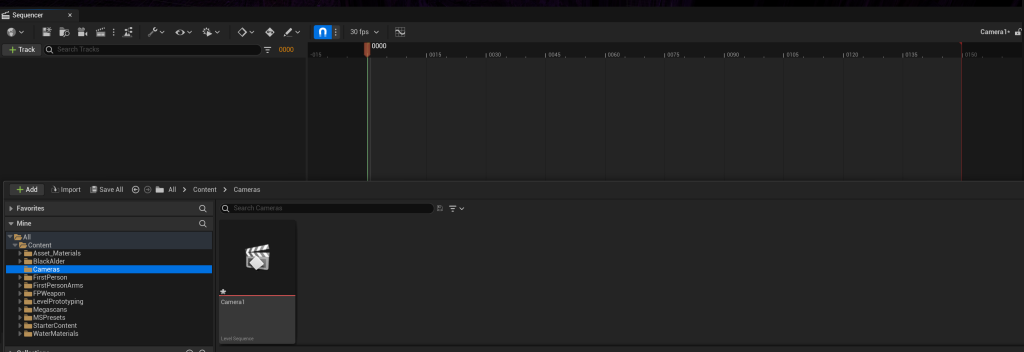
So first you want to make a new file called camera, then click on the little movie cut screen and make a level sequence in that folder, calling it whatever you want, I only needed one as my video will just be one video. Then you want to go to the cube with a plus, go to all classes and type in “cine”, then select the camera, this will make said camera which you then drag down into your sequence to get this:
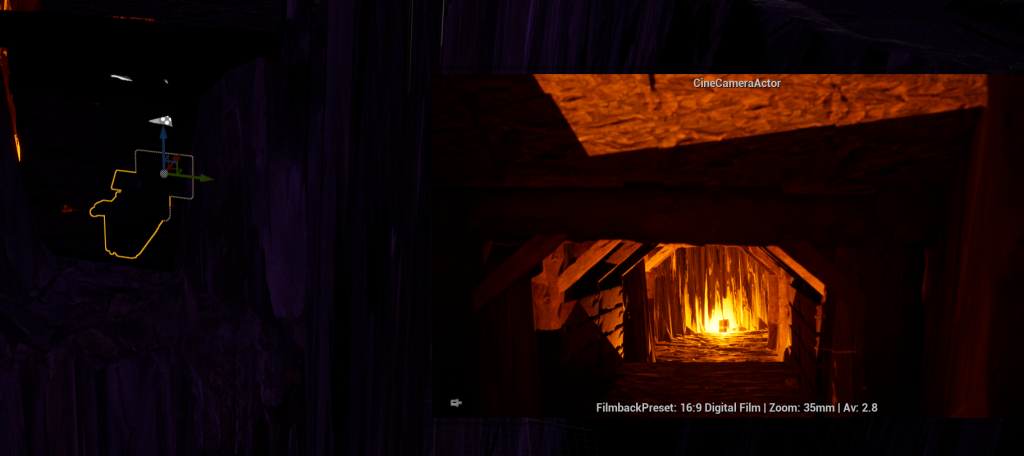
It will have a small window open now to show what the camera is seeing at that time in the sequence
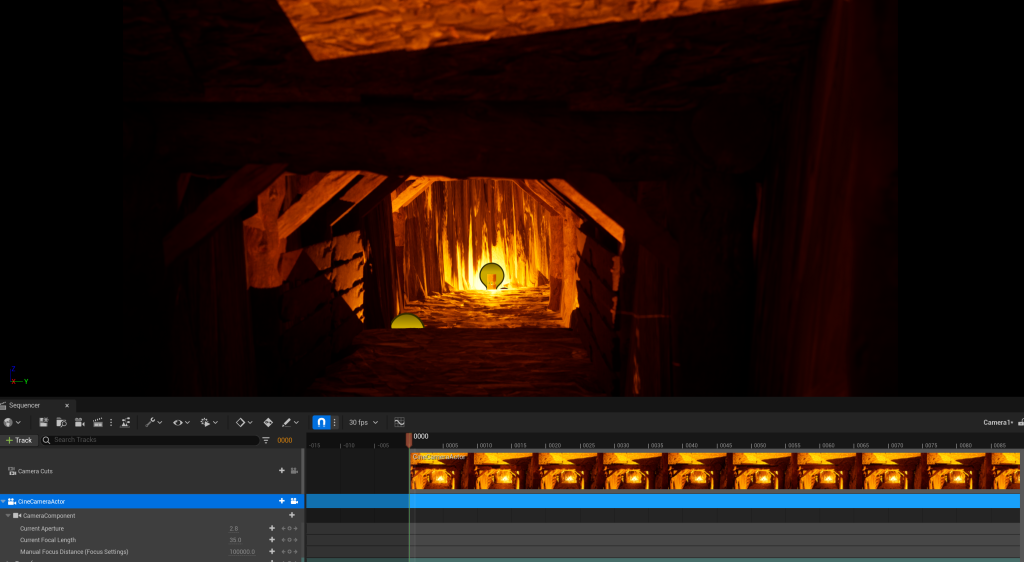
Then we want to change it to 60fps and since it is 60 frames per second and my video will be 90 seconds long so I changed the sequence length to 5400 frames
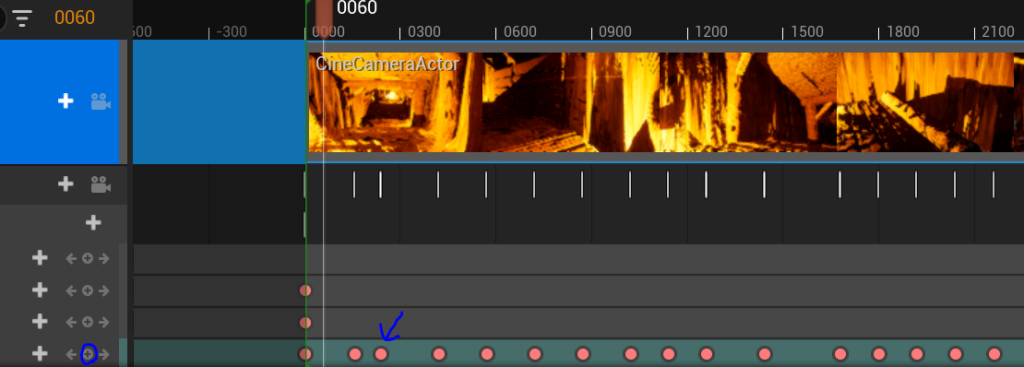
Then we have these frame locks which you can make, these are made when you press the circled button and make these red dots, basically each red dot means the camera will go to the position you made it at during the time between these dots. So if I made one then made anotehr 5 seconds later going forward, it would spend those 5 seconds going forward to the dot
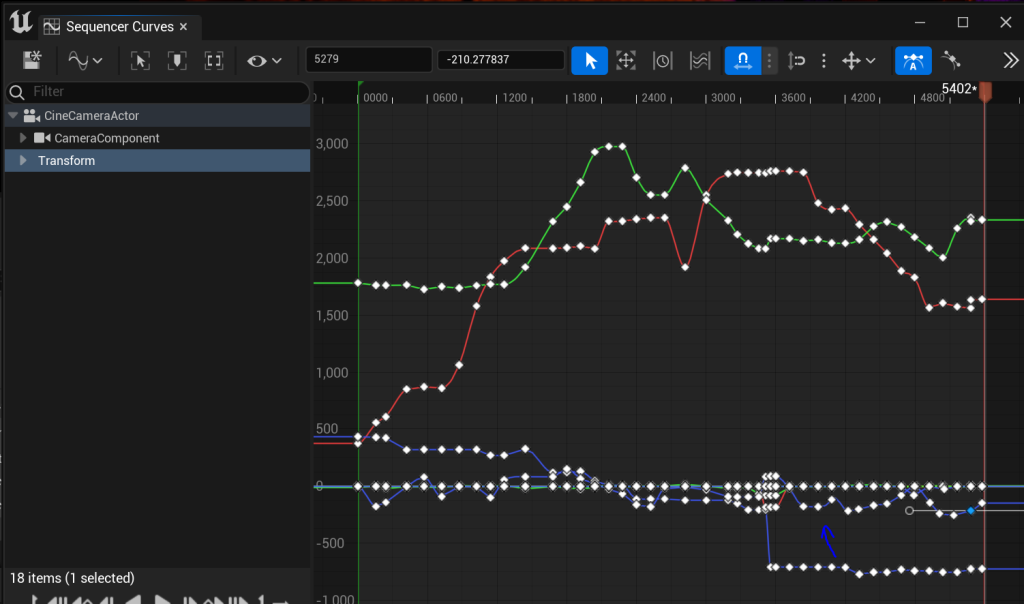
However ypu can have more control which I did need abit later on as sometimes it turns the wrong way, so if you click on the wavy lined graph it will open this, where you can edit each node’s position on the graph, this way you can correct the rotation and keep it going to where you want
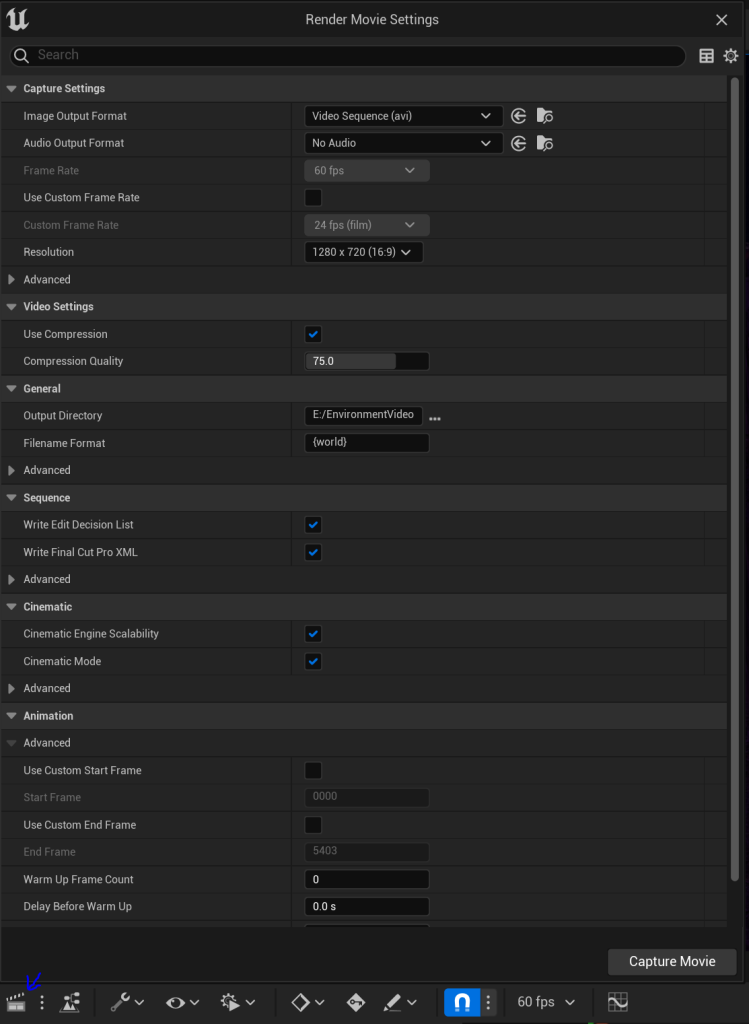
Then finally when your done press this movie cut board and open this up, make sure it is going where you want and let it render
Sound
Obviously I could leave it there, but sound adds to the experience so I wanted to add it, however how do I? I am sure there is a better way but I thought on my feet and realised I can recapture the video and play sounds in the background like so:
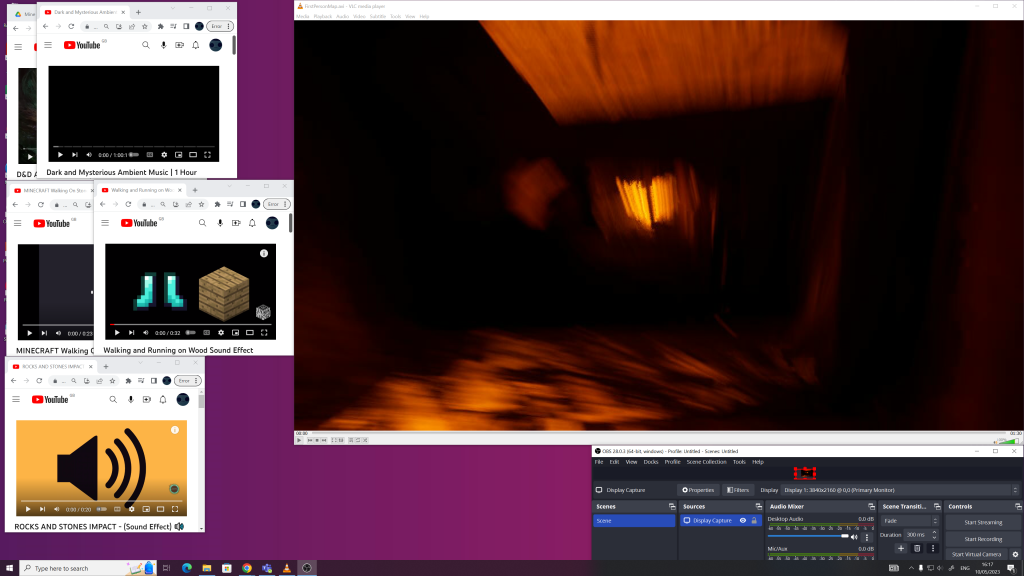
Here you can see the different yourube videos I used for sounds, then the exported video and OBX which I used to recapture the video with the sound. This might have lowered the quality or something but that aside I added sound, quite easily too (for OBX I just added a display and sound input source then recorded)