Introduction
In this project I need to conceptualize and create a visual sequence to show off visual effects and the environments I can make for them. To do this I started by thinking of 3 separate ideas to make sure I didn’t just commit to the first and miss out on a potentially worse idea. Then expanded on this idea with a mood board and basic script detailing the sequence.
Idea 1, Fantasy Ruin:
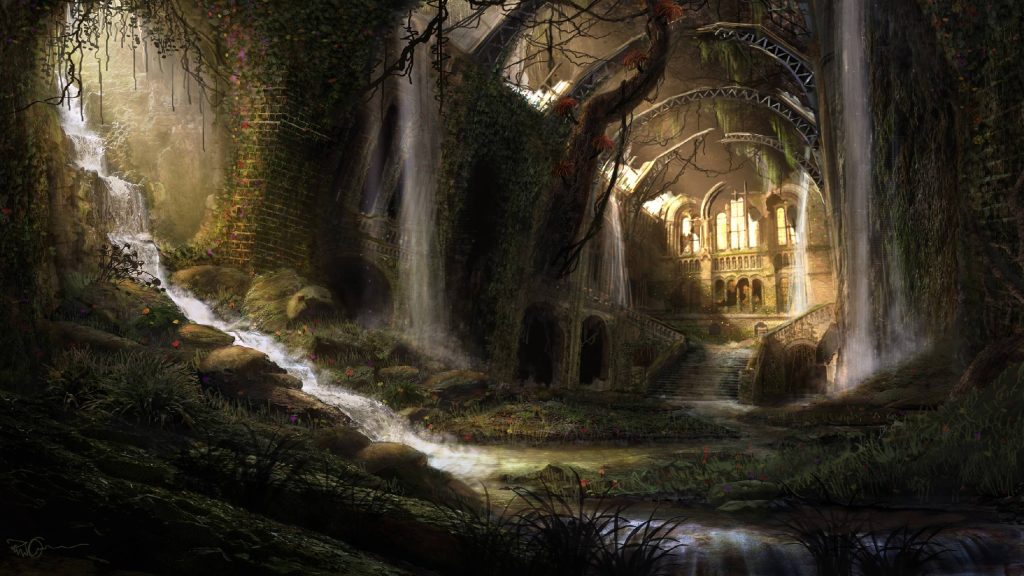
Figure 1, Fantasy Overgrown Ruin
Set in a high fantasy setting where magic is a common practice, the player is a mage from a school of magic that has been sent to explore and document the ruins. Having them cast various spells to show off visual effects and get around obstacles.
Due to it needing to be around 10 minutes long for Level Design and 1 minute for Visual Effects the ruin can’t be too big, thinking maybe a big house, this way we give a good area to cover with plenty of room for effects, such as using magic to burst the door open, or for using and lighting a torch
Due to how complex this magic system would be I have decided this idea is too complex what my skill level and to try aim lower
Idea 2, Abandoned Facility:
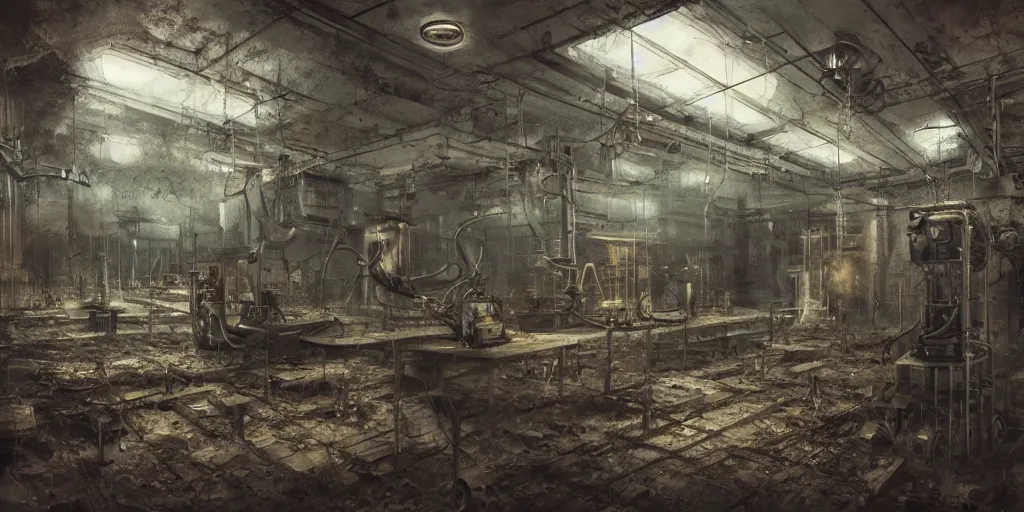
Figure 2, Abandoned Facility
The player wakes up with a system booting up sequence that comes back with several errors, telling them they have 10 minutes until function stops. They then have to go through the abandoned facility they were part of while they are falling apart to help a mysterious drone get the information left in this mysterious laboratory.
Due to not having any enemies or complex features being planned this seems alot more achievable with the falling appart leaving room for effects such as sparking wires, leaking water or effects when certain stuff gives way like the rest of the ruin around it.
Settled on this idea due to the simplicity and keeping availability of effect opportunities
Idea 3, Mage Battle:
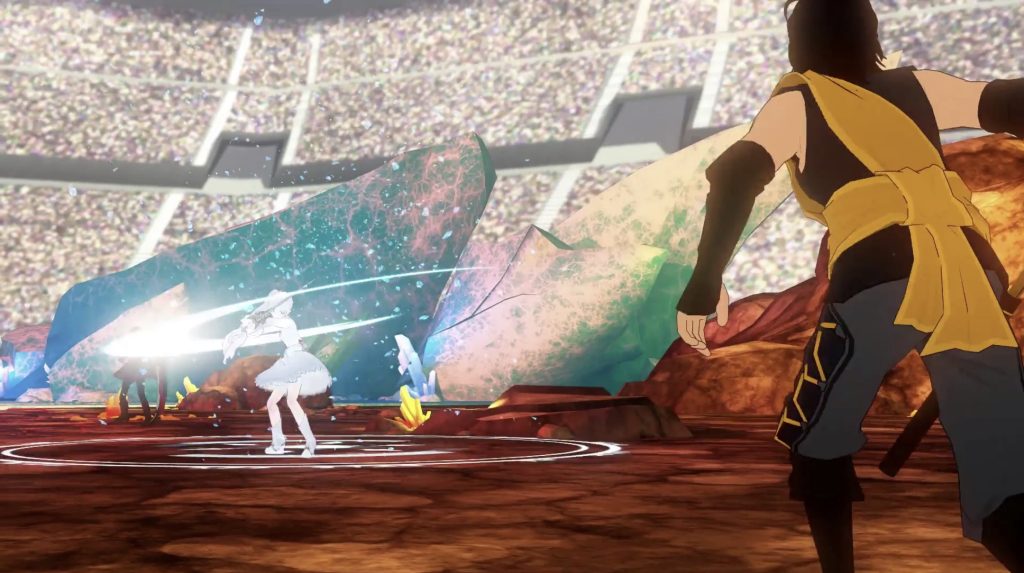
Figure 3, RWBY Vytal Festival, Tournament Fight
Also set in a high fantasy setting the player has to use spells to fight against other mages, if this was just for a cutscene it would work, however since it is also for level design I cannot make this as it would either feel very restrictive and clunky or be very hard to do due to AI enemies then likely being mandatory.
It was a nice idea but like idea 1 was way outside of my scope of possibility
Mood Board:
Now that I have selected an Idea I decided to make a quick mood board to try focus down on what I wanted to do with it
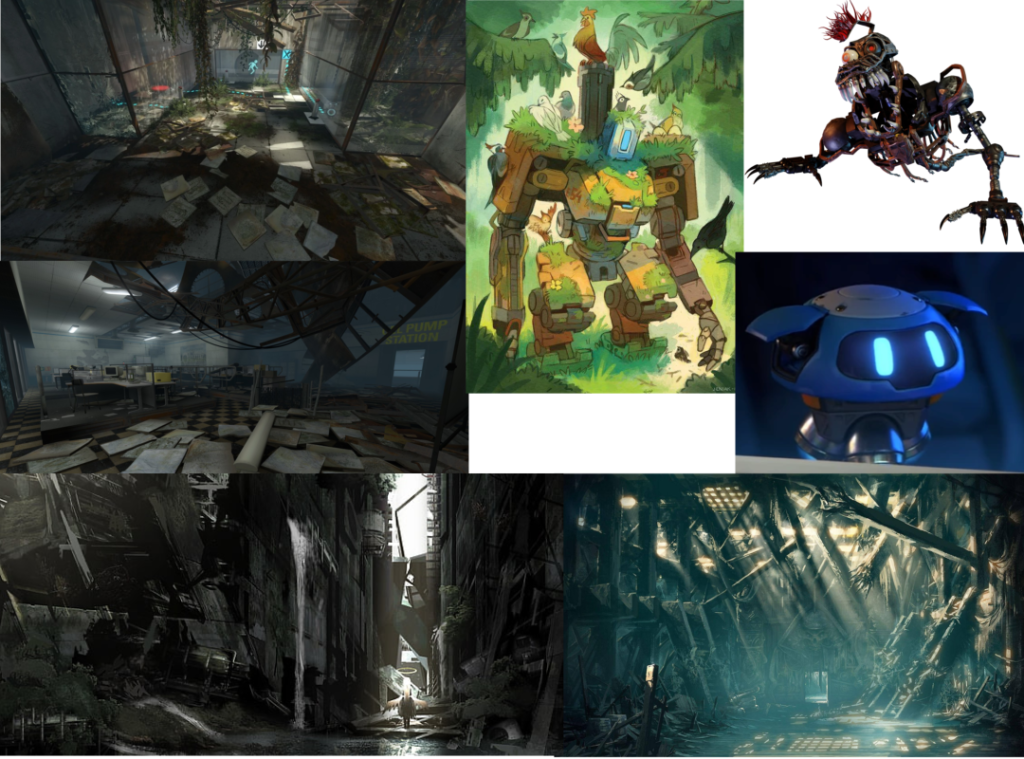
As you can see it is based on the portal’s decaying structure as it almost fully fits what I am going for. However I also included references for the robot and drone, wanting to implement damage but also maybe some growth on them to help them stick out from all the other damage robots I’m sure are out there.
Then to help further I got more to further show what I am going for along with the kind of lighting I will be going for too
Basic Script:
Now that I have figured that out I wanted to get a basic script sorted before I decide to do a storyboard so I have more to go off.
Script:
- Starts with the booting up sequence (10 seconds)
- It then changes to show the player looking around the ruined room filled with ruined robots (10 seconds)
- Then cutting to the door scanner, with it starting to scan the player (5 seconds)
- Cuts away to them jumping onto the ladder (5 seconds)
- Cuts back to the scanner getting half way done (5 seconds)
- Cuts again to see their arm being damaged from climbing (around half way up the ladder sequence) (5 seconds)
- Cuts back to the scanner (5 seconds)
- Cuts away to walking past and seeing the hole in the wall and the forced open door (10 seconds)
- Cuts back to the scanner as the scan completes (5 seconds)
- Continue to door opening sequence and show them walking through (15 seconds)
- Cut to the giant robot waking up (10 seconds)
- End with them charging at the camera (5 seconds)
This totals up to 90 seconds, however after checking the brief again I noticed it says it has to atleast be 60 seconds, so going past that is doing more than needed and so should be fine.
Layout Diagrams:
I want to do a storyboard next, however, I wanted to make sure I knew the layout first so that I didn’t mess it up when I changed my mind. This ended up happening anyways as I improved the layout, but it also shows my development of the project.
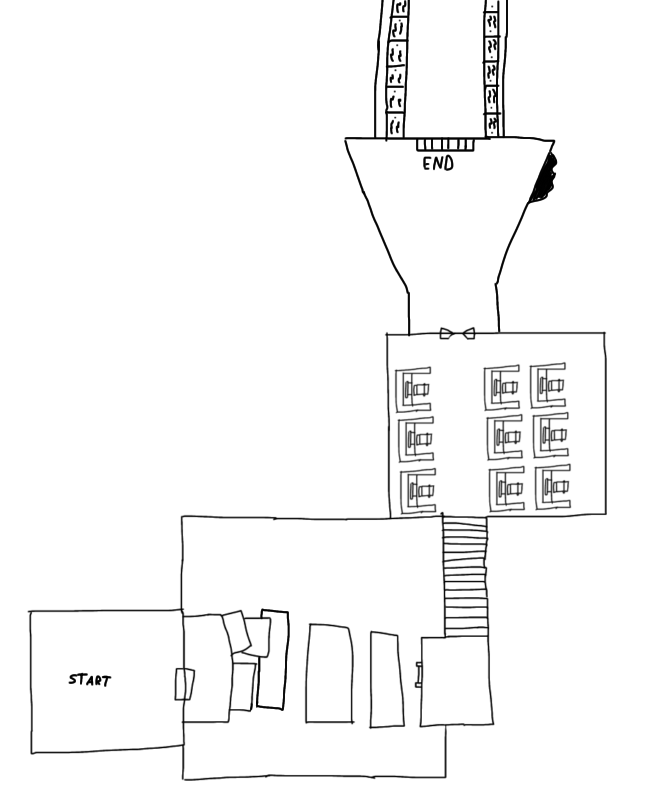
This first one was the most basic, it needed to go, at this point I was just starting out, so the concepts are there, but once I started learning level design principles I knew it had to be changed.
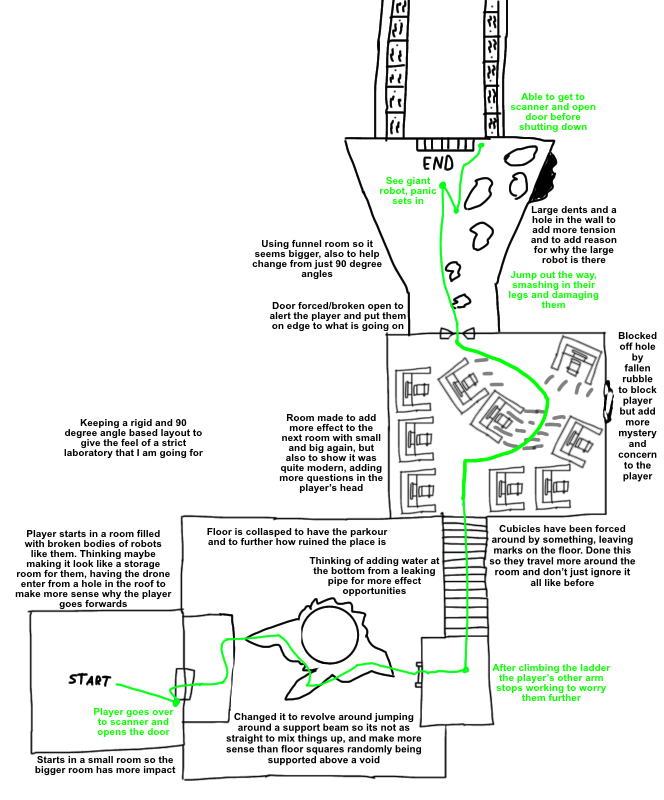
This version was alot better, having text to describe stuff and more thought out objects like the central pillar you have to jump around, and having the office be pushed around to increase space efficiency.
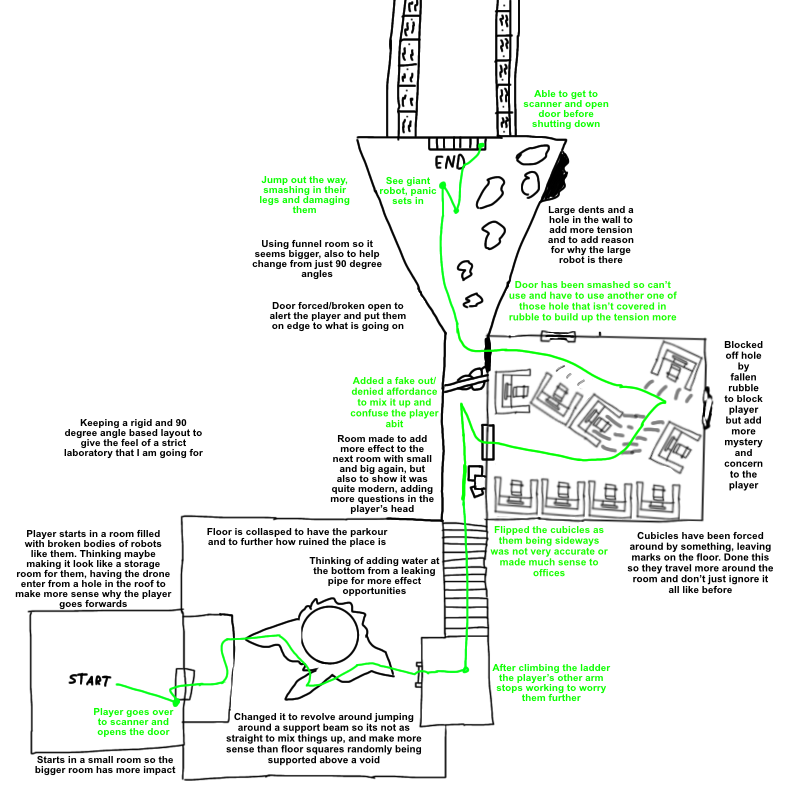
This final one didn’t change much, but I learned more about blueprints and realized stairs don’t tend to go into offices, so I made a hallway that gets blocked as they go down it, denying affordance and motivating them more by basically dangling the goal in front of them.
Story Board:
Now I have figure out the layout I can make my storyboard, I was making it while learning and improving the layout, but you can only see remnants of this in places it doesn’t really matter, like in the door opening scene.
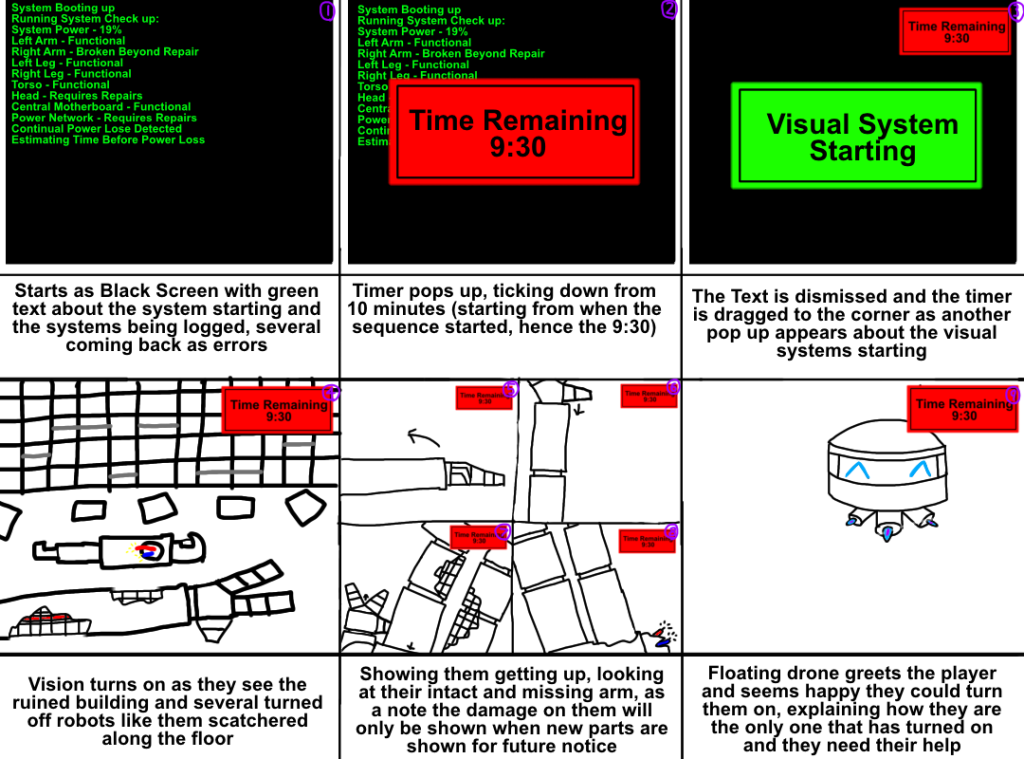
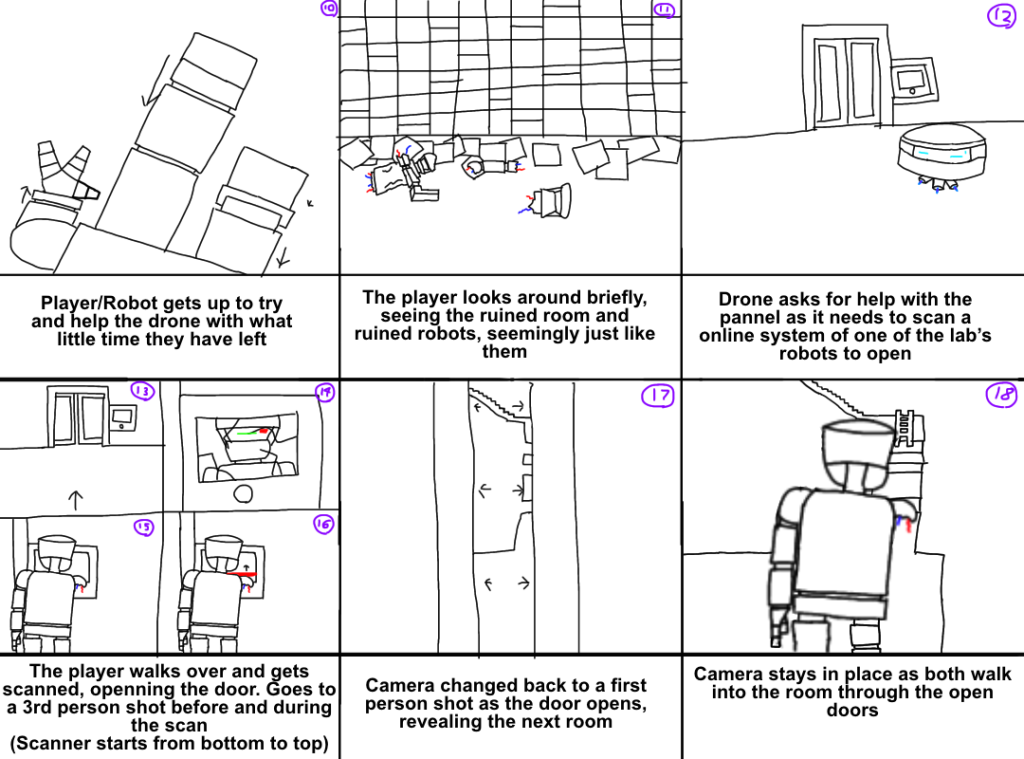
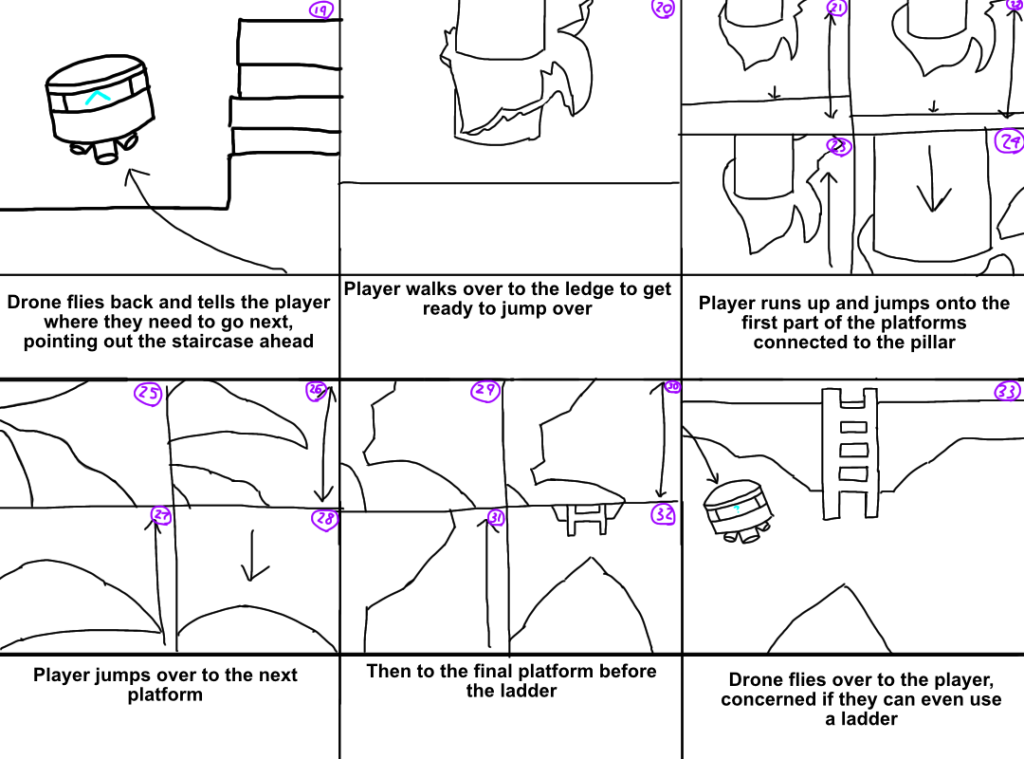
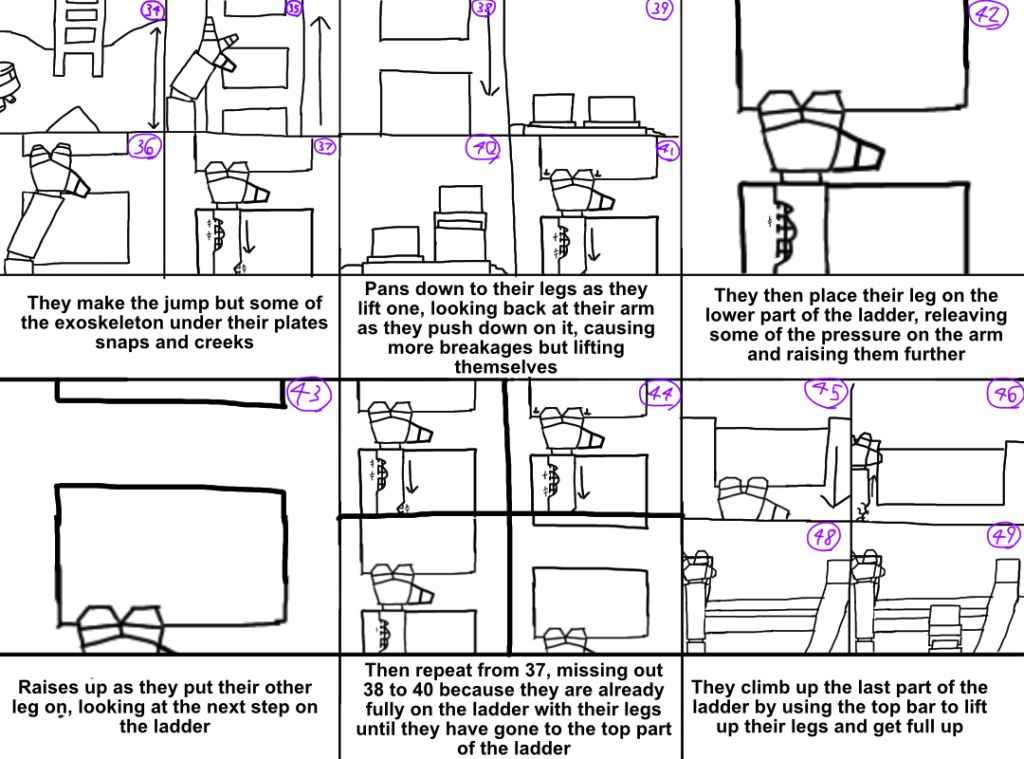
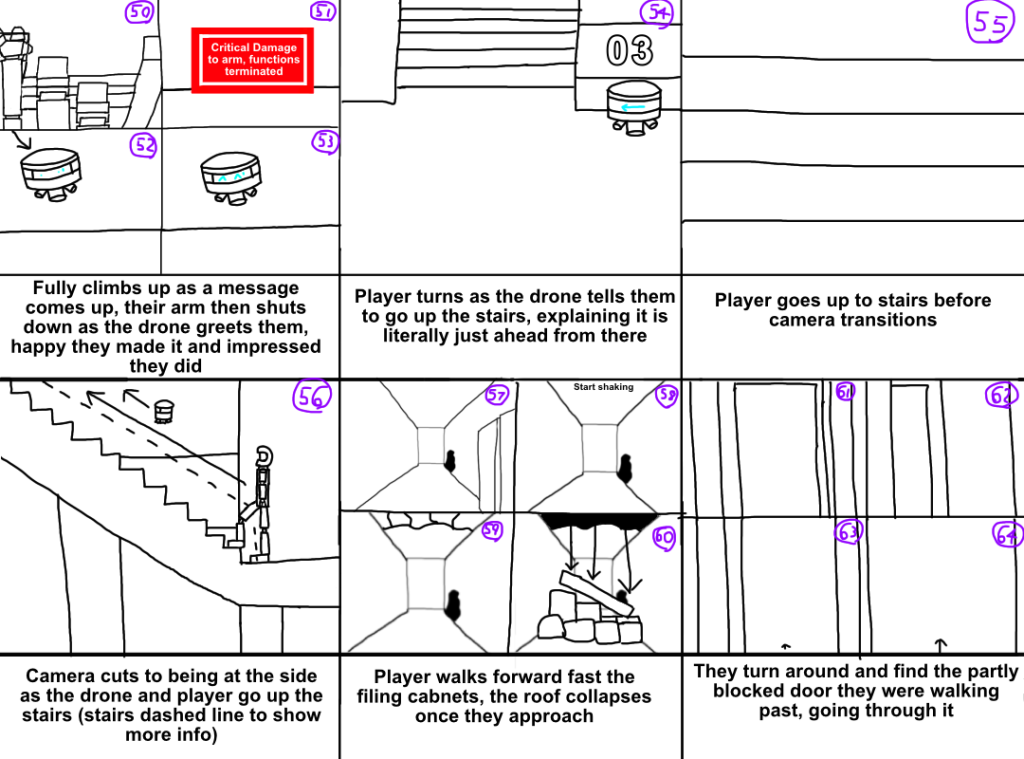
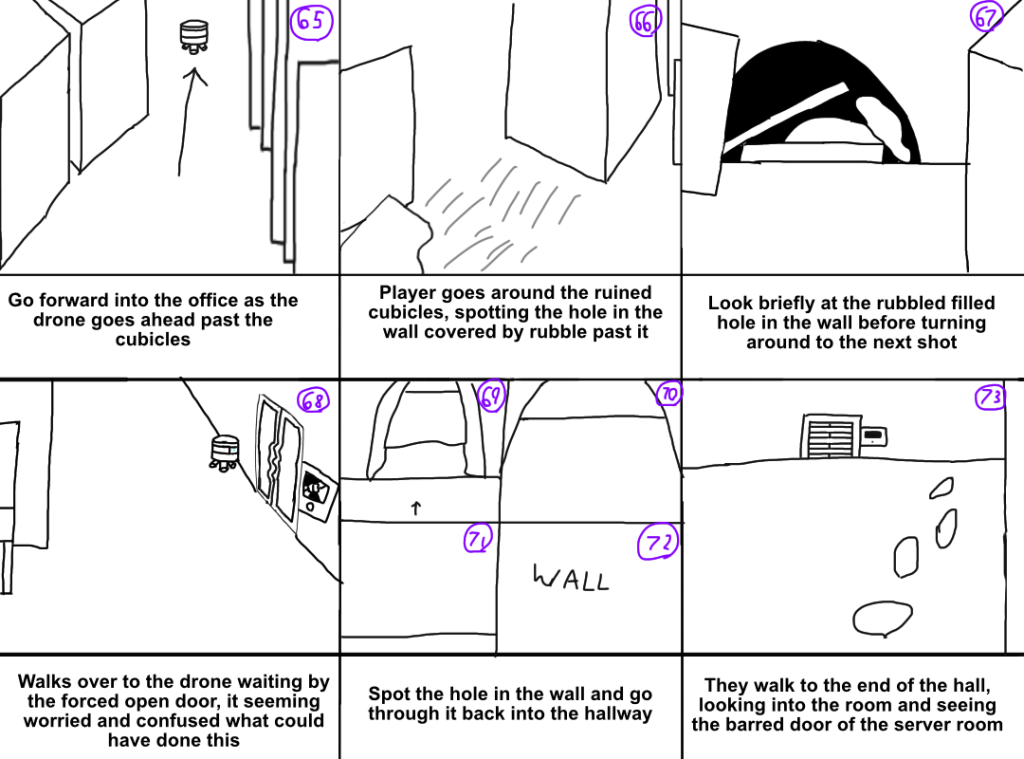
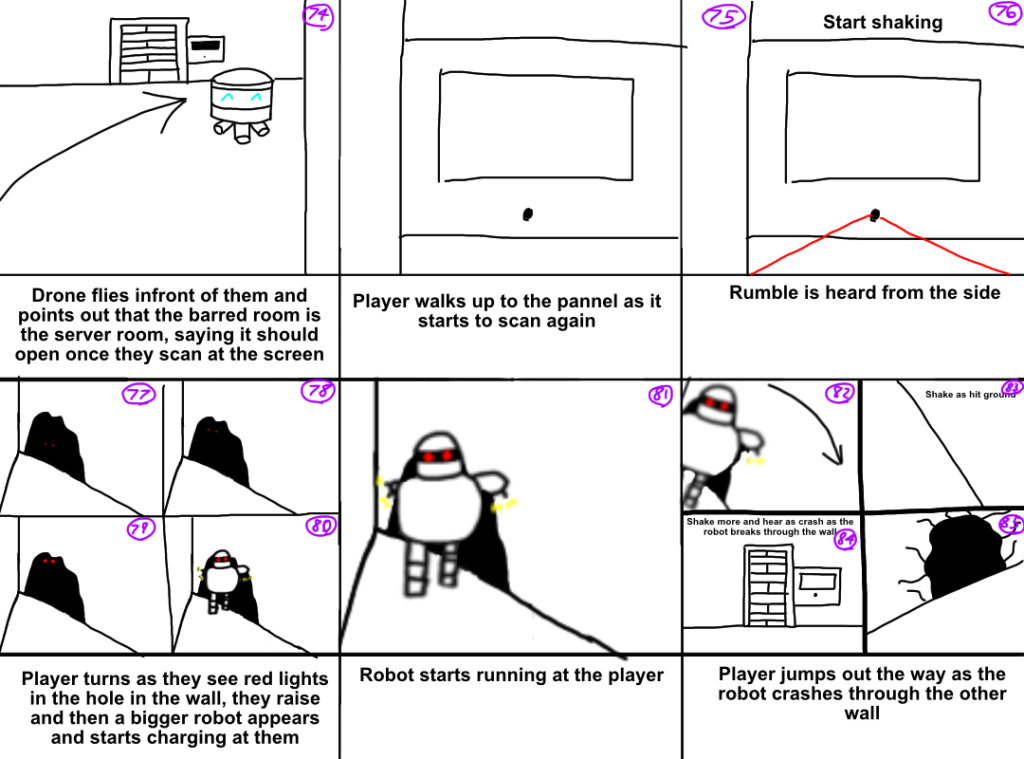
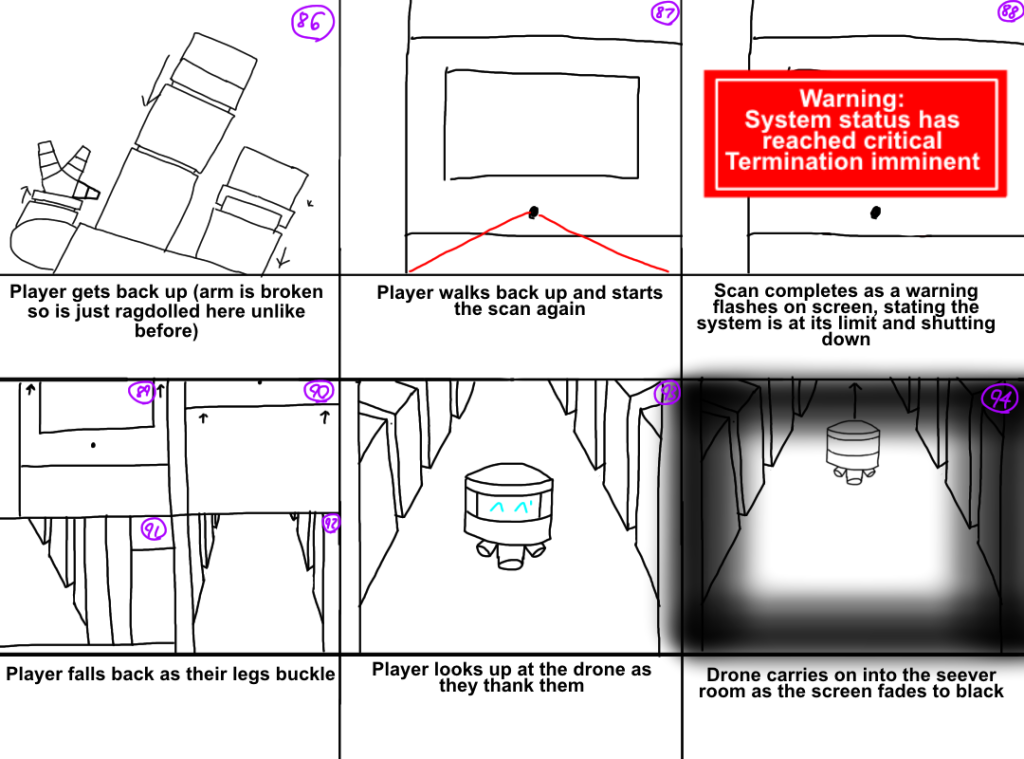
These share scenes with my level design sequence due to them being in the same level, explaining the high amount. It definitely helped making this as it worked as a reference I would return to each time I was lost for what to do next in the sequence. The reason why I have some blocks split into 4 is to save room on if the scene is simple description vise, such as standing up, but needs several scenes to get what I want across.
Animatic
Finally for pre-production I made an animatic to help format what I wanted from my sequence, it helps abit more than my storyboard, but looking at it now I would rather just use my storyboard, but it was still nice to at least try.
References:
- Ego X (2012) Fantasy World 004 1920×1080. Flickr. Available Online: https://www.flickr.com/photos/77124913@N08/7240971464 [27/10/2023]
- Open Art (2023) Abandoned Facility. {AI Generated Image} promoted by Jamie Markey. 27th October 2023. 10:47
- Minomelo (2016) Team RWBY vs. Team ABRN. Fandom. Available Online: https://rwby.fandom.com/wiki/Team_RWBY_vs._Team_ABRN?oldid=539552 [28/10/2023]